 Word Quest
Keep the words you meet while reading.
Select an unfamiliar word in any article. Word Quest saves it with the sentence you found it in, shows what it means, and turns it into practice so it sticks.
Coming soon to the Chrome Web Store. Free to use.

How it works
Three steps, and you only do the first one once per site.
-
Once per site
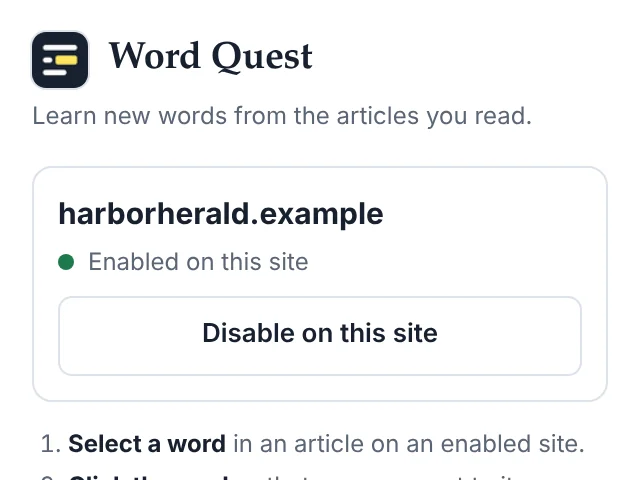
Turn it on for the sites you read
Click the Word Quest button on a news site and choose “Enable on this site”. It stays out of the way everywhere else.
-
While reading
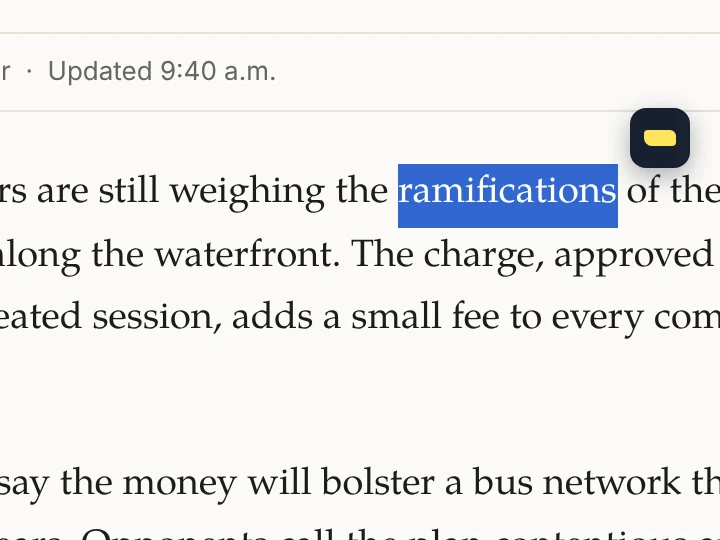
Select a word and click the marker
Double-click any unfamiliar word. A small marker appears beside it; click it to open the card, check the sentence and meaning, then save.
-
Whenever you like
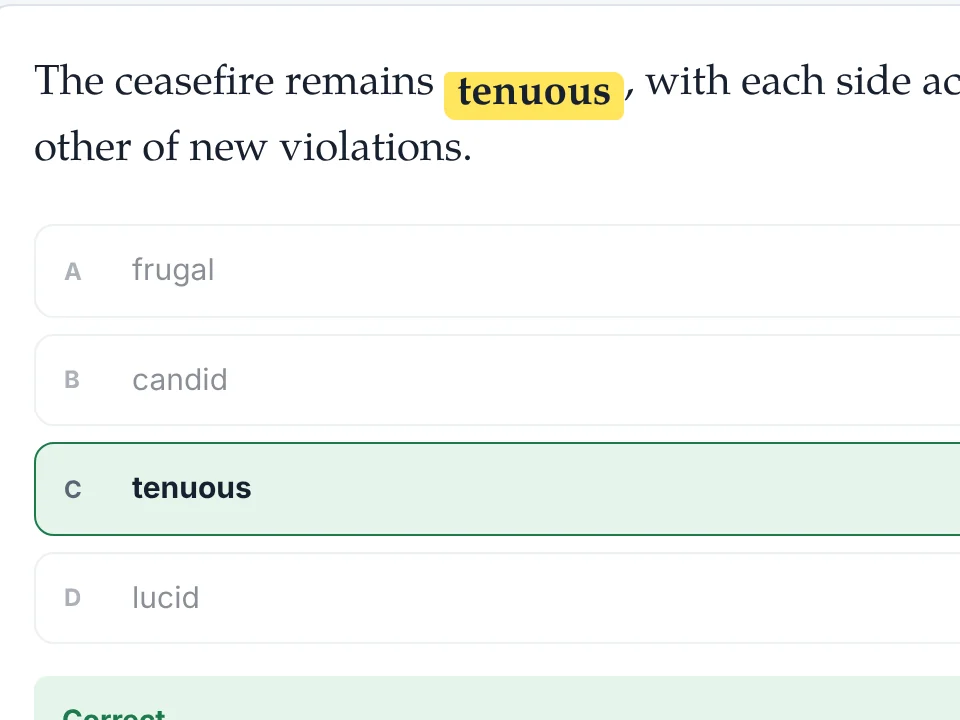
Practise with your own sentences
Open the Practice Studio for quizzes built from the words you saved, each shown in the sentence where you found it.


The meaning, right where you read it
Every word comes with a short dictionary entry, so you understand it before you move on and can review it properly later.
- PronunciationHow the word is said.
- How commonWhether it's an everyday word or a rare one.
- MeaningsBy part of speech, with an example sentence.
- SynonymsWords that mean nearly the same thing.
- AntonymsWords with the opposite meaning.

Back to the sentence in one click
Your saved words wait in Chrome's side panel, grouped by the day you saved them. Click one and Word Quest reopens the article with the sentence and the word highlighted, so you remember where you met it.

Practice built from your own reading
Three ways to practise in the Practice Studio. Every question uses a word you saved and the sentence you saved it from.
Pick the missing word. After each answer you see its meaning.

Hear the word read aloud, then type it from memory.

Explain the word yourself, reveal the definition, and rate how close you were.

Sets, scores and a list of words to revisit
Words are grouped into sets in the order you saved them, so you can work through your reading from the start. Each set keeps your last three scores, and any word you miss goes on a revisit list until you get it right.

Your words stay in your browser
Word Quest has no account and no server of its own. Here is what happens to your data; the privacy policy has the details.
- Saved on your computerYour cards and practice scores are stored in Chrome on your computer, not on a server.
- No sign-upThere is no account to create and no email to give.
- Only on sites you chooseWord Quest only offers to save words on the sites you have turned it on for.
- Lookups send only a few wordsTo show a meaning and suggest quiz answers, only the word and up to two words next to it are sent to free dictionary services (dictionaryapi.dev and Datamuse).
- Your backup, your fileExport your library as a file at any time and import it on another computer.
- Feedback only when you send itIf you use “Send feedback”, your message goes to the developer. Your saved words are never included.
Coming to your phone
Android and iPhone apps are on the way, so you can save words from what you read on the go. To hear when they launch, email isanjeevsingh@gmail.com.
Questions
Is Word Quest free?
Yes. Word Quest is free to use, with no account and no sign-up.
Which browsers does it work in?
Google Chrome on a computer, version 116 or later. Android and iPhone apps are coming soon.
Does it work with other languages?
Not yet. Word Quest works with English words for now.
Where are my words stored?
In Chrome on your computer. Nothing is uploaded to a Word Quest server, because there isn't one. Only the word, and up to two words next to it, are sent to the dictionary services that supply its meaning and quiz answers.
Can I move my words to another computer?
Yes. In the Practice Studio, choose Export backup to save your library as a file, then Import backup on the other computer. Your practice scores come along too.
Why doesn't the marker appear when I select a word?
Word Quest only works on sites you have turned it on for. Click the Word Quest button in Chrome's toolbar while you're on the site and choose “Enable on this site”. It also only saves single words, not phrases.
How do I share feedback or report a problem?
Use the support page, “Send feedback” in the Practice Studio or the sidebar, or email isanjeevsingh@gmail.com.